I got a request from my client a couple of weeks ago. For simplicity reasons, I will present it as follows. Suppose we are displaying some text in RichTextBox and we want it to show all the text without scroll. Since the text is dynamic, so we have to adjust the size of the RichTextBox according to the text supplied automatically. So the question becomes how to determine the size of the RichTextBox to display the dynamic text appropriately. It turned out that the solution is quite simple. In RichTextBox class, there is a method GetPositionFromCharIndex, which returns the position (Point) of the char in relation to the top of the RichTextBox. So we could use it to infer how tall the RichTextBox should be. The code snippet below shows a possible solution (suppose the RichTextBox is docked in the client area of the form):
int length = TextMessage.Length;
richTextBox1.AppendText(TextMessage);
Point p = richTextBox1.GetPositionFromCharIndex(length);
this.Height = p.Y + 50;
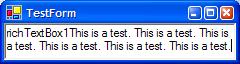
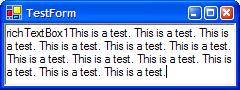
Of course, you can use the system metrics to calculate the exact height needed instead of the 50 I used here. The following screen shot shows the result of the code above: