In my previous three articles (1,2,3) I discussed how to use Canny edge detection and Hough transform to identify blur images. Here I will show some results from the algorithm discussed before.
Results
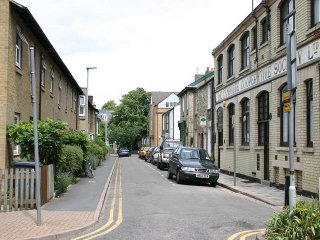
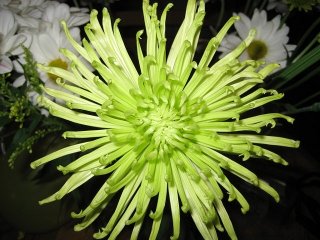
When presented with images that are clear, the algorithm correctly identified most of them (see images below):
 |
 |
 |
 |
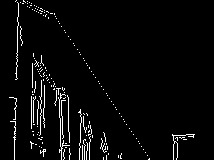
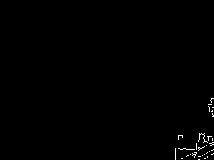
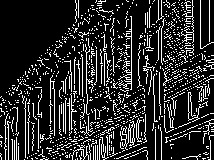
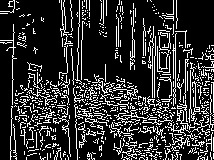
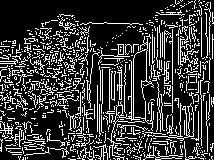
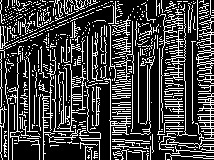
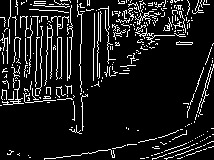
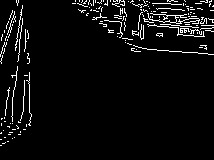
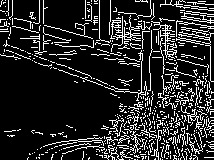
The following images illustrate how the original image (top right) is divided into sub regions. Canny detection is performed on each of the sub images.
|
|
|
|
|
|
|
|
|
When performing Hough Transform, I chose to detect up to ten lines in each image, with the following stepping parameter (the detection results are very sensitive to these parameters, the following parameters were chosen based on experiment results):
\[\rho=1, \theta=0.01\]
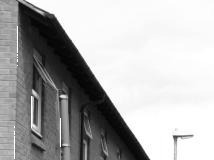
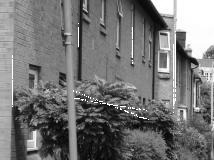
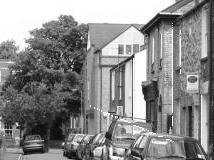
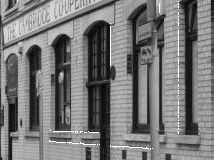
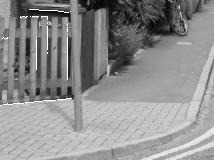
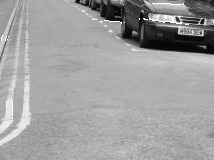
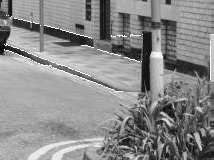
Out of all the detected lines, a few sections are selected based on line continuity and the calculated average gradients around the detected lines. The following images shows the chosen Hough line segments based on the algorithm.
|
|

|
|
|
|
|
|
|
The table below shows the gradient index calculated within each area (the average of the gradients along all the chosen line segments within a sub-image. The result is scaled by 1000, the scale factor is chosen such that for clear images the resulted index is greater than 1 and for blur images the resulted index is less than 1).
| 1 | 1.709 |
| 2 | 2.383 |
| 3 | 1.012 |
| 4 | 2.842 |
| 5 | 3.389 |
| 6 | 2.419 |
| 7 | 2.933 |
| 8 | 2.168 |
| 9 | 2.534 |
And the sub images are indexed as follows:
| 1 | 4 | 7 |
| 2 | 5 | 8 |
| 3 | 6 | 9 |
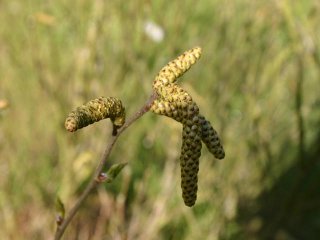
The algorithm can also detect images with deliberate blur regions (e.g. Bokeh). The results are illustrated below:
| 1 | 0.000 |
| 2 | 1.750 |
| 3 | 1.973 |
| 4 | 1.595 |
| 5 | 2.815 |
| 6 | 3.188 |
| 7 | 0.000 |
| 8 | 1.204 |
| 9 | 1.308 |
Note that the 0’s in the detection results indicate that within those regions, no lines could be reliably detected and thus those regions are considered blurred.
Generally speaking, when an image contains both blurred and clear regions, some of the indexes will be zero and others will be greater than one.
The following images are detected as blurred, with the detected indexes far less than one.
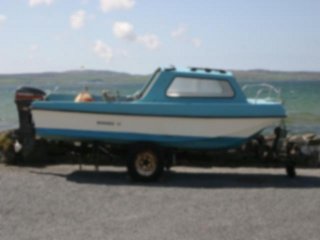 |
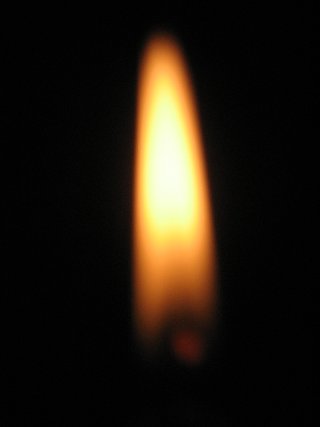 |
Limitations
when image contrast is low, or when objects borders are not clearly defined, the algorithm may have difficulty in distinguishing whether an image is blurred. Take the following two cloud images for instance, the image on the left was correctly classified as a clear image due to the relatively high contrast around the center. But the image to the right was classified as blurred due to its lack of contrast.
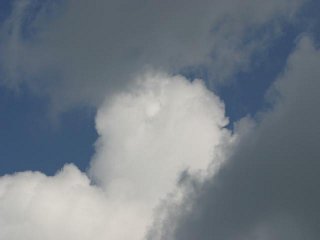 |
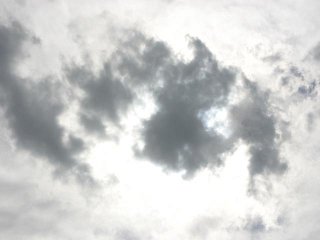 |
Update (7/12/2010)
A few readers requested the code for calculating gradients. The method I used was quite simple, please see the LineUtils code below:
/*
 * File:   lineutils.cpp
 * Author: kwong
 *
 * Created on June 5, 2009, 8:47 PM
 */

#include "LineUtils.h"

#include <math.h>
#include <stdlib.h>
#include <iostream>
#include <ios>

using namespace std;

namespace KDW {
    const float PI = 3.14159265358979;
    const float Epsilon = 1e-5;
    const float MaxGradient = 1e6;

    LineUtils::LineUtils() {
    }

    LineUtils::LineUtils(const LineUtils& orig) {
    }

    LineUtils::~LineUtils() {
    }

    /**
     * Get the equation parameters for the line that passes through (x,y) and is perpendicular
     * to the line specified by parameters (p0, theta0) in normal form.
     *
     * @param p0 : distance to line from origin.
     * @param theta0 : the slope of p0.
     * @param x : x coordinate of the point where the perpendicular line passes through
     * @param y : y coordinate of the point where the perpendicular line passes through
     * @param &p : the perpendicular line's distance from origin.
     * @param &theta : the slope of p.
     **/
    void LineUtils::GetPerpendicularLineParameters(float p0, float theta0, float x, float y, float &p, float &theta) {
        float x0 = p0 * cos(theta0);
        float y0 = p0 * sin(theta0);

        p = sqrt((x0 - x)*(x0 - x) + (y0 - y)*(y0 - y));

        float a1 = theta0 - PI / 2.0;
        float a2 = theta0 + PI / 2.0;

        //d=|x0 * cos a + y0 * sin a - p|
        float d1 = abs(x * cos(a1) + y * sin(a1) - p);
        float d2 = abs(x * cos(a2) + y * sin(a2) - p);

        if (d1 < d2)
            theta = a1;
        else
            theta = a2;
    }

    /**
     * Get a line segement's coordinates. The segement is centered at x0, y0.
     *
     * @param p : distance to line from origin.
     * @param theta : the slope of p.
     * @param x0 : x coordinate of the segement center.
     * @param y0 : y coordinate of the segement center.
     * @param numOfPoints : the number of coordinate points to collect at either side
     *                      of (x0, y0)
     * @param points[] : returns the x,y coordinates of the points on the line segement in IppiPoint.
     **/
    void LineUtils::GetLineIntervalPoints(float p, float theta, float x0, float y0, int numOfPoints, IppiPoint points[]) {
        if (abs(sin(theta)) < Epsilon) {
            for (int xp = x0 - numOfPoints; xp <= x0 + numOfPoints; xp++) {
                points[(int) (xp + numOfPoints - x0)].x = xp;
                points[(int) (xp + numOfPoints - x0)].y = y0;
            }
        } else if (abs(cos(theta)) < Epsilon) {
            for (int yp = y0 - numOfPoints; yp <= y0 + numOfPoints; yp++) {
                points[(int) (yp + numOfPoints - y0)].y = yp;
                points[(int) (yp + numOfPoints - y0)].x = x0;
            }
        } else if ((abs(theta) > 0 && abs(theta) <= 0.25 * PI) ||
                (abs(theta) > 0.75 * PI && abs(theta) <= PI) ||
                (theta > PI && theta <= 1.25 * PI) ||
                (theta > 1.75 * PI and theta <= 2.0 * PI)) {
            for (int xp = x0 - numOfPoints; xp <= x0 + numOfPoints; xp++) {
                points[(int) (xp + numOfPoints - x0)].x = xp;
                points[(int) (xp + numOfPoints - x0)].y = (int) ((p - points[(int) (xp + numOfPoints - x0)].x * cos(theta)) / sin(theta));
            }
        } else {
            for (int yp = y0 - numOfPoints; yp <= y0 + numOfPoints; yp++) {
                points[(int) (yp + numOfPoints - y0)].y = yp;
                points[(int) (yp + numOfPoints - y0)].x = (p - points[(int) (yp + numOfPoints - y0)].y * sin(theta)) / cos(theta);
            }
        }
    }

    /**
     * Get a line segement's coordinates. The segement is centered at x0, y0.
     *
     * @param points[] : the x,y coordinate of the input points (ordered).
     * @param threashold : the threashold of disconnected points before a line is considered no
     *              longer connected.
     * @param lpoints[] : the x,y coordinates of the points in the detected longest connected line.
     * @param &maxLen : the maximum length of the output array, addtional line points
     *                  will be discarded if exceed this limit.
     **/
    void LineUtils::GetLongestConnectedLinePoints(IppiPoint points[], int len, int threshold, IppiPoint lpoints[], int &maxLen) {
        int maxIndexEnd = 0, curRunLength = 0, maxRunLength = 0;

        lpoints[curRunLength] = points[0];

        for (int i = 1; i < len; i++) {
            //if ((abs(points[i].x - points[i - 1].x) > threshold) || (abs(points[i].y - points[i - 1].y) > threshold)) {
            if ((abs(points[i].x - lpoints[curRunLength].x) > threshold) || (abs(points[i].y - lpoints[curRunLength].y) > threshold)) {
                //if (curRunLength > maxRunLength) {
                if (curRunLength > maxRunLength) {
                    maxRunLength = curRunLength;
                    maxIndexEnd = i;
                }
                curRunLength = 0;
                lpoints[curRunLength] = points[i];

                //}
            } else {
                if (curRunLength >= maxLen) {
                    maxRunLength = maxLen;
                    break;
                }

                curRunLength++;
                lpoints[curRunLength] = points[i];
            }
        }

        for (int i = maxIndexEnd - maxRunLength - 1; i < maxIndexEnd; i++) {
            if (i - (maxIndexEnd - maxRunLength) - 1 < maxRunLength) {
                lpoints[i - (maxIndexEnd - maxRunLength - 1)] = points[i];
            }
        }

        maxLen = maxRunLength;
    }

    bool LineUtils::GetMinMaxIndicies(float pixels[], int len, int &minIndex, int &maxIndex) {
        bool isEdge = false;
        bool isPositive = true;

        int numCrossings = 0;

        minIndex = 0;
        maxIndex = 0;

        float avg = 0;

        for (int i = 0; i < len; i++) {
            avg += pixels[i];
        }

        avg = avg / (float) len;

        if (pixels[0] > avg)
            isPositive = true;
        else
            isPositive = false;

        for (int i = 0; i < len; i++) {
            if (pixels[i] < pixels[minIndex]) {
                minIndex = i;
            } else if (pixels[i] > pixels[maxIndex]) {
                maxIndex = i;
            }

            if (isPositive && pixels[i] < avg) {
                isPositive = false;
                numCrossings++;
            } else if (!isPositive && pixels[i] > avg) {
                isPositive = true;
                numCrossings++;
            }
        }

        if (numCrossings < 3)
            return true;
        else
            return false;
    }

    float LineUtils::CalculateGradient(IppiPoint points[], float pixels[], int len, int minIndex, int maxIndex) {
        float lAvg = 0;
        float hAvg = 0;

        if (minIndex > 0 && minIndex < len - 1) {
            lAvg = (pixels[minIndex] + pixels[minIndex - 1] + pixels[minIndex + 1]) / 3.0;
        } else if (minIndex > 1) {
            lAvg = (pixels[minIndex] + pixels[minIndex - 1] + pixels[minIndex - 2]) / 3.0;
        } else if (minIndex < len - 2) {
            lAvg = (pixels[minIndex] + pixels[minIndex + 1] + pixels[minIndex + 2]) / 3.0;
        } else {
            lAvg = pixels[minIndex];
        }

        if (maxIndex > 0 && maxIndex < len - 1) {
            hAvg = (pixels[maxIndex] + pixels[maxIndex - 1] + pixels[maxIndex + 1]) / 3.0;
        } else if (maxIndex > 1) {
            hAvg = (pixels[maxIndex] + pixels[maxIndex - 1] + pixels[maxIndex - 2]) / 3.0;
        } else if (maxIndex < len - 2) {
            hAvg = (pixels[maxIndex] + pixels[maxIndex + 1] + pixels[maxIndex + 2]) / 3.0;
        } else {
            hAvg = pixels[maxIndex];
        }

        float h = hAvg - lAvg;
        float t = abs(h / (float) (points[maxIndex].x - points[minIndex].x));

        if (t > 0)
            return t > MaxGradient ? MaxGradient : t;
        else
            return MaxGradient;
    }

    float LineUtils::GetAverage(float gradients[], int count) {
        int zerosCount = 0;
        int minValIndex = 0, maxValIndex = 0;

        for (int i = 0; i < count; i++) {
            if (gradients[i] == 0)
                zerosCount++;

            if (gradients[i] > gradients[maxValIndex])
                maxValIndex = i;
            else if (gradients[i] < gradients[minValIndex])
                minValIndex = i;
        }

        gradients[minValIndex] = 0;
        gradients[maxValIndex] = 0;

        zerosCount += 2;

        if (zerosCount < 6) {
            for (int i = 0; i < count; i++) {
                if (gradients[i] > gradients[maxValIndex])
                    maxValIndex = i;
                else if (gradients[i] < gradients[minValIndex])
                    minValIndex = i;
            }
        }

        gradients[minValIndex] = 0;
        gradients[maxValIndex] = 0;

        zerosCount += 2;

        if (zerosCount < 6) {
            for (int i = 0; i < count; i++) {
                if (gradients[i] > gradients[maxValIndex])
                    maxValIndex = i;
                else if (gradients[i] < gradients[minValIndex])
                    minValIndex = i;
            }
        }

        gradients[minValIndex] = 0;
        gradients[maxValIndex] = 0;

        float r = 0;
        zerosCount = 0;
        for (int i = 0; i < count; i++) {
            if (gradients[i] > 0) {
                r += gradients[i];
                zerosCount++;
            }
        }

        if (zerosCount == 0)
            return 0;
        else
            return r / (float) zerosCount;
    }
}

